 Issuewell
For newsletters and magazines, made by small teams
Write the issue. We'll lay it out.
Paste your newsletter or magazine from Google Docs, Word or Notion. Issuewell turns it into pages your readers turn one at a time, on any screen.
7-day trial with everything included. Cancel before day 8 and pay nothing.
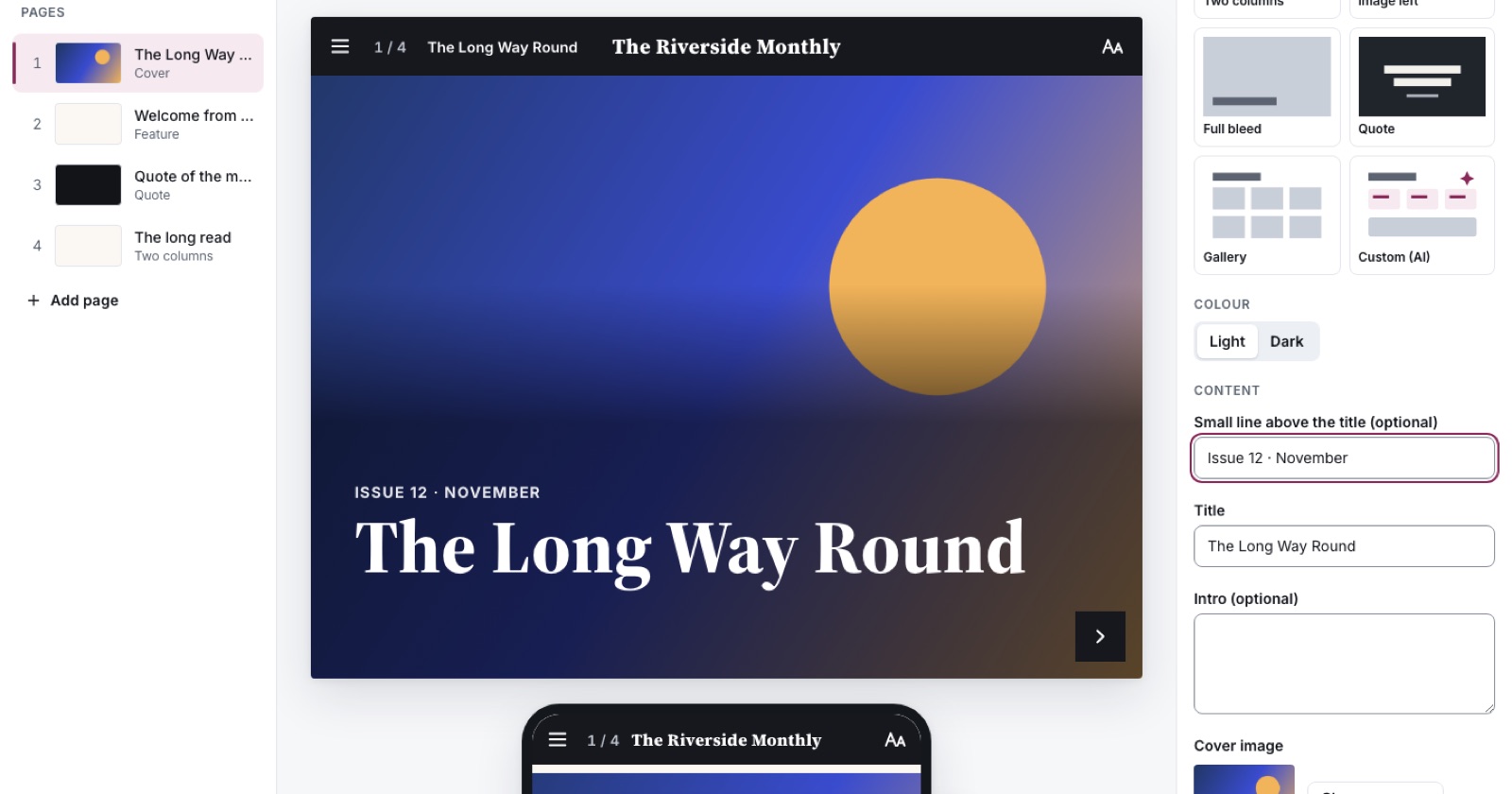
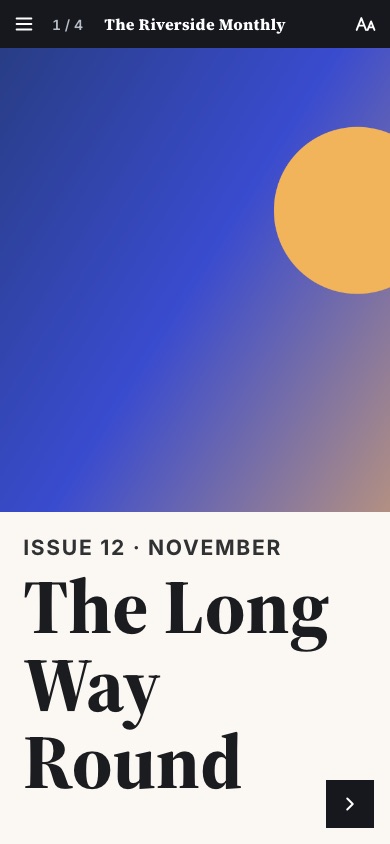
A good-looking issue shouldn't take a designer and a whole afternoon.
Most magazine tools hand you a blank canvas and a hundred options: drag the blocks, line them up, fix the margins, then do it all again for phones. When it's finally done, publishing is slow, and one wrong click can undo an hour's work.
How it works
Step 1: Paste
Copy your text from wherever you write it. Each main heading becomes a page, and pictures go where they fit.
Step 2: Check
Pick a different layout for any page in one click, see it on a phone as you go, and add your pictures.
Step 3: Publish
One button. Readers get a link and turn the pages, with no app or account.
Built for the way small teams actually make an issue
Paste and it lays itself out
Each heading becomes a page and pictures go where they fit. No dragging, no lining things up.
8 layouts, spacing done for you
Cover, feature, two columns, gallery and more. Switch a page's layout in one click and nothing is lost.
Undo anything
Even a page you deleted. Everything saves as you go, so try things freely.
Simple by default
The settings you need are on screen. The rest wait behind “More” until you want them.
Publish in seconds
One button. When you change something later, only the pages you touched are updated.
A phone preview as you type
Crop pictures once and they look right on a phone, a tablet and a big screen.
Custom pages with AI, checked on every screen
Describe a page and it's built from safe parts, then tested on phone, tablet and desktop before it's saved.
Readers choose their text size
A−, A, A+ in every issue, and pages that still work at 200% zoom.
Readers get the full page-turning experience: a page overview, arrows, swipe and links to every page.
Simple prices, per team
Try either plan free for 7 days. A card is needed to start, and you can cancel in one click before you're charged. No per-seat surprises, reviewers are always free, and schools and non-profits get 25% off.
Team
For a small team putting out regular issues
$24.99 USD / month(billed monthly)
- 5 editors, unlimited reviewers
- 3 magazines, unlimited issues
- 300 AI custom pages a month
- Version history for a year
- Reader analytics
Organisation
For schools and organisations with several titles
$69.99 USD / month(billed monthly)
- 15 editors, unlimited reviewers
- Unlimited magazines and issues
- 1,000 AI custom pages a month
- Faster email support
- Your own domain
- Password-protected issues
Cancel in one click. Your work is kept for 90 days if you want to come back. Pay monthly or once a year. For annual plans, we email you a week before each renewal.
Questions
Can I bring my existing writing?
Yes. Paste from Google Docs, Word, Notion or an email. Uploading Word files directly is coming soon.
Do readers need an app or an account?
No. They get a link that works in any browser, on any phone.
Will it look right on phones?
Every layout reflows by itself, and readers can make the text bigger. We test every layout on small phones and at 200% zoom.
Is AI writing my magazine?
No. You write it. AI only builds a custom page when you ask, from parts that can't break your layout. Anything it doesn't know shows up as [a placeholder] for you to fill in before you can publish.
How does the 7-day trial work?
Add a card to start, then use everything for 7 days. Cancel before day 8 (one click in Settings) and you pay nothing. Otherwise your plan starts and your card is charged then.
What happens if I cancel?
One click in Settings. Your plan runs to the end of the period you paid for, and your work is kept for 90 days.
Do you track my readers?
No cookies and no tracking ads. Reading analytics, when they arrive, will count pages, not people.
Is there a discount for schools and charities?
Yes: 25% off any paid plan.